Serial Udev Rules



Serial Devices#
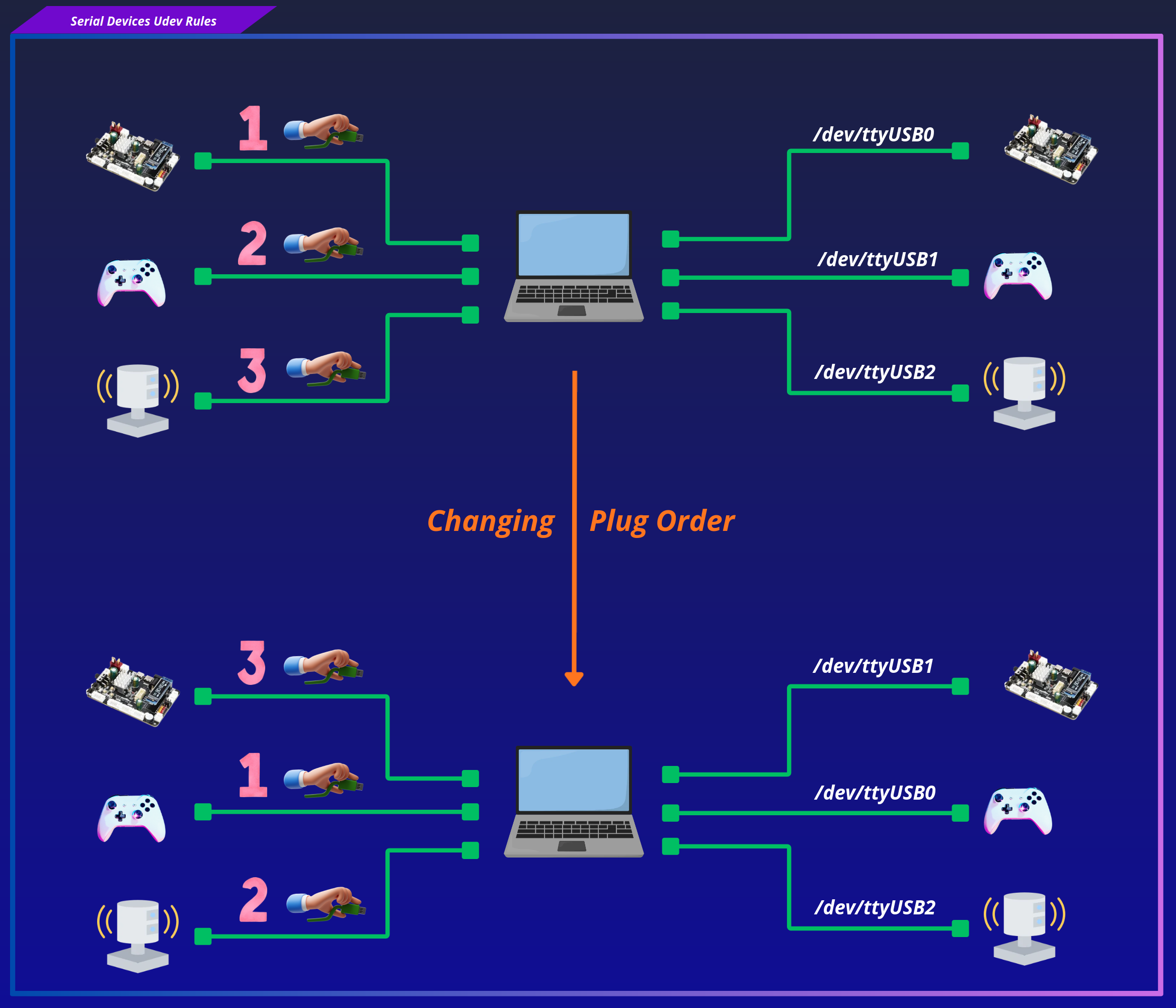
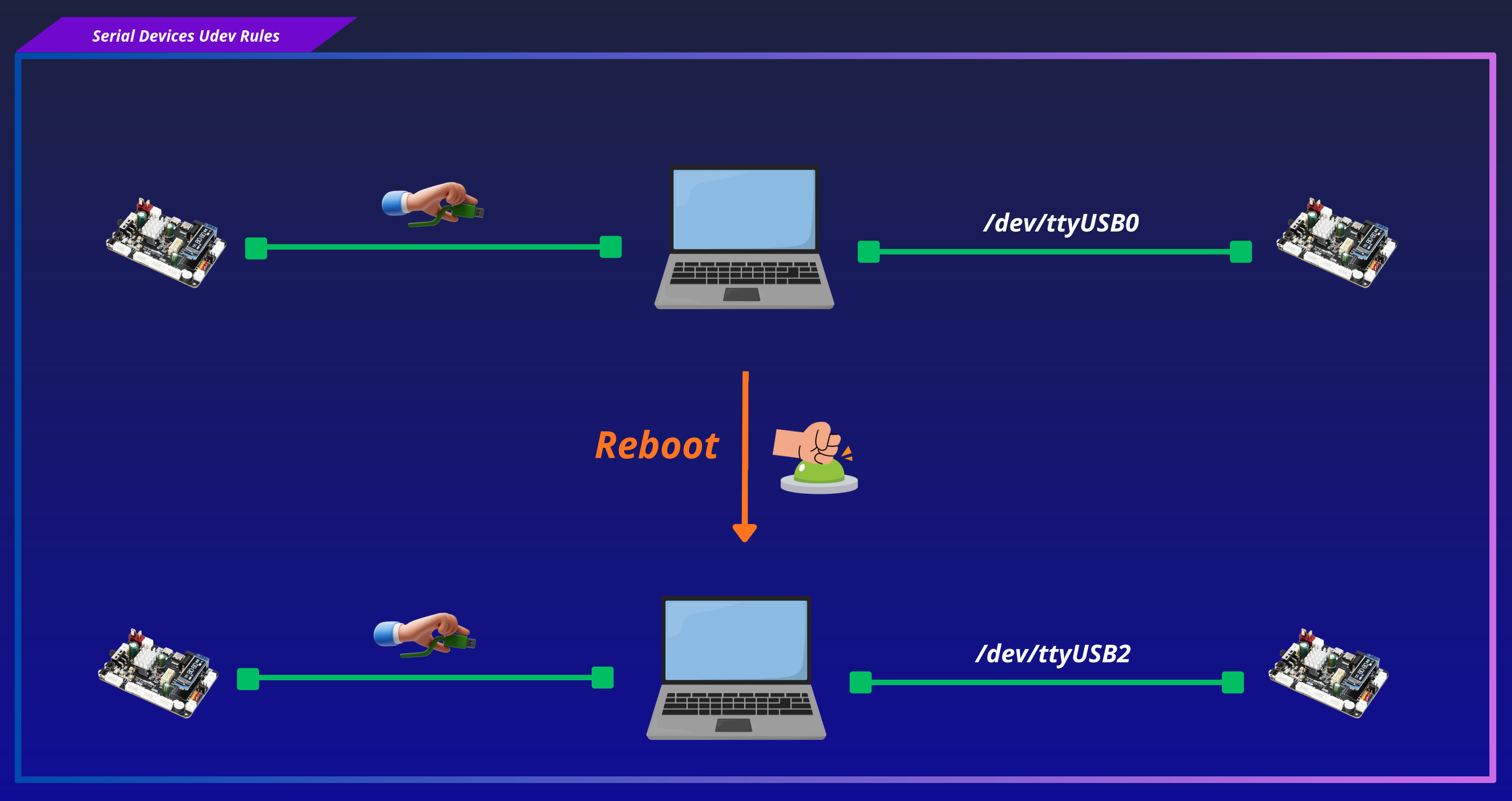
USB serial devices typically appear as /dev/ttyUSB* or /dev/ttyACM* when connected. The numeric suffix is assigned by the kernel according to the device enumeration order, making it non-deterministic. As a result, the device name can change after a reboot or whenever devices are unplugged and reconnected.
This is particularly problematic in robotics, where multiple USB serial devices such as IMUs, GNSS receivers, LiDARs, and microcontrollers are often connected simultaneously. If a device is assigned a different /dev/ttyUSB* or /dev/ttyACM* name after a reboot or reconnection, software may attempt to communicate with the wrong hardware or fail to start altogether. Stable device names are therefore essential to ensure that each software component consistently connects to the intended physical device, improving the reliability and reproducibility of robotic systems.
Configure Serial Device Rules#
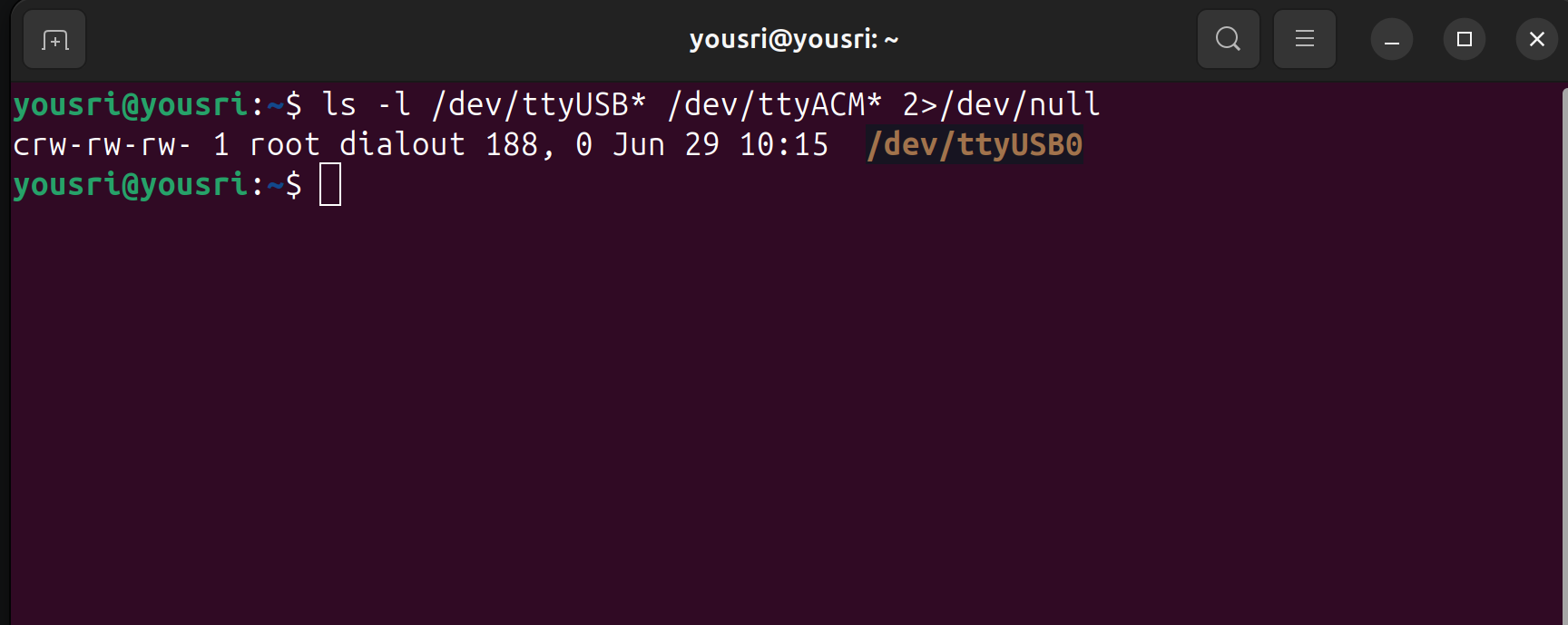
Step 1 - Enumerate Connected Serial Devices#
Example output:
crw-rw---- 1 root dialout 188, 0 Mar 15 12:00 /dev/ttyUSB0
crw-rw---- 1 root dialout 188, 1 Mar 15 12:00 /dev/ttyUSB1
Step 2 - Extract Hardware Identifiers#
For each target device, retrieve its hardware identifiers.
Choose the parent device that represents the actual USB device you want to identify uniquely, not the USB controller or intermediate devices.
You are looking for the first parent that has all the identifiers of your USB device.
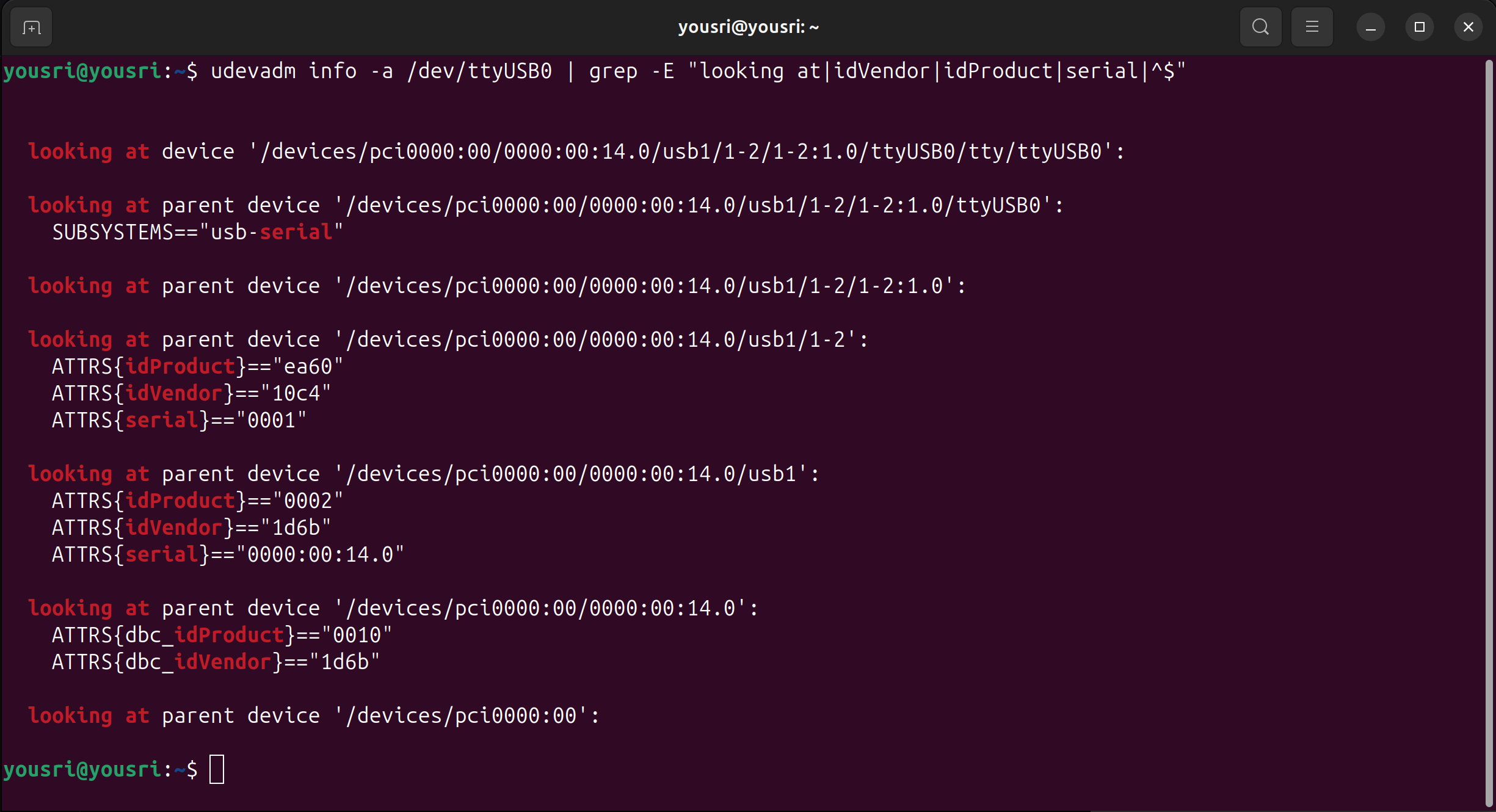
in the image above this is:
looking at parent device '.../usb1/1-2':
    ATTRS{idVendor}=="10c4"
    ATTRS{idProduct}=="ea60"
    ATTRS{serial}=="0001"
Step 3 - Write Serial Udev Rules#
Using the attributes collected above, write one rule per device.
In this example, each rule matches the device by its hardware identifiers and creates a stable symlink under /dev/micipsa/.
# /etc/udev/rules.d/99-micipsa-serial.rules

# STM32 MCU
SUBSYSTEM=="tty", ATTRS{idVendor}=="0483", ATTRS{idProduct}=="5740", \
  ATTRS{serial}=="123456789", \
  SYMLINK+="micipsa/stm_mcu", MODE="0666", GROUP="dialout"

# YDLidar
SUBSYSTEM=="tty", ATTRS{idVendor}=="10c4", ATTRS{idProduct}=="ea60", \
  ATTRS{serial}=="0001", \
  SYMLINK+="micipsa/ydlidar_base_lidar", MODE="0666", GROUP="dialout"
These rules tells udev to identify a specific USB serial device based on its hardware attributes and create a persistent symbolic link with the desired permissions.
- SUBSYSTEM=="tty" Restricts the rule to devices in the tty subsystem, i.e., serial devices such as /dev/ttyUSB0 and /dev/ttyACM0.
- ATTRS{idVendor}=="10c4" Matches devices whose USB vendor ID is 10c4
- ATTRS{idProduct}=="ea60" Matches devices whose USB product ID is ea60
- ATTRS{serial}=="0001" Matches only the device whose USB serial number is 0001. This distinguishes it from other identical USB-to-serial adapters that have the same vendor and product IDs.
- SYMLINK+="micipsa/ydlidar_base_lidar"
Creates a persistent symbolic link named:
/dev/micipsa/ydlidar_base_lidarRegardless of whether the kernel assigns the device /dev/ttyUSB0, /dev/ttyUSB1, or another number.
- MODE="0666"
Sets the device permissions to:
rw-rw-rw-allowing all users to read from and write to the device.
- GROUP="dialout" Sets the device group to dialout. On most Linux distributions, users who belong to the dialout group are allowed to access serial devices without requiring root privileges.
Install Rules#
Copy the rule files to the udev directory and reload the daemon to apply them immediately:
sudo cp 99-micipsa-serial.rules /etc/udev/rules.d/
sudo udevadm control --reload-rules && sudo udevadm trigger
Verify Device Symlinks#
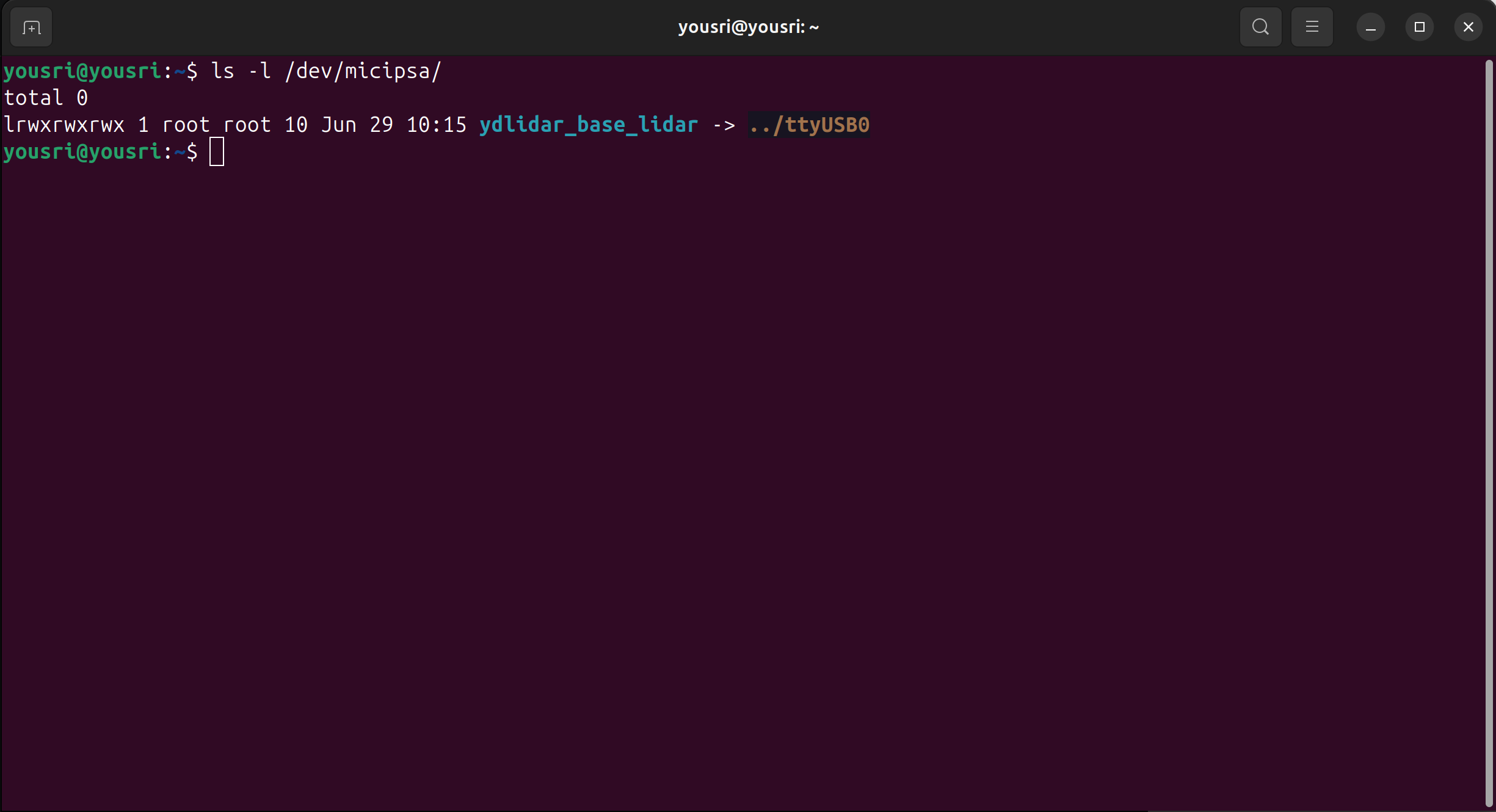
Once the rules are installed, confirm that the symlinks were created correctly: