Compose Launcher


Compose Launcher#
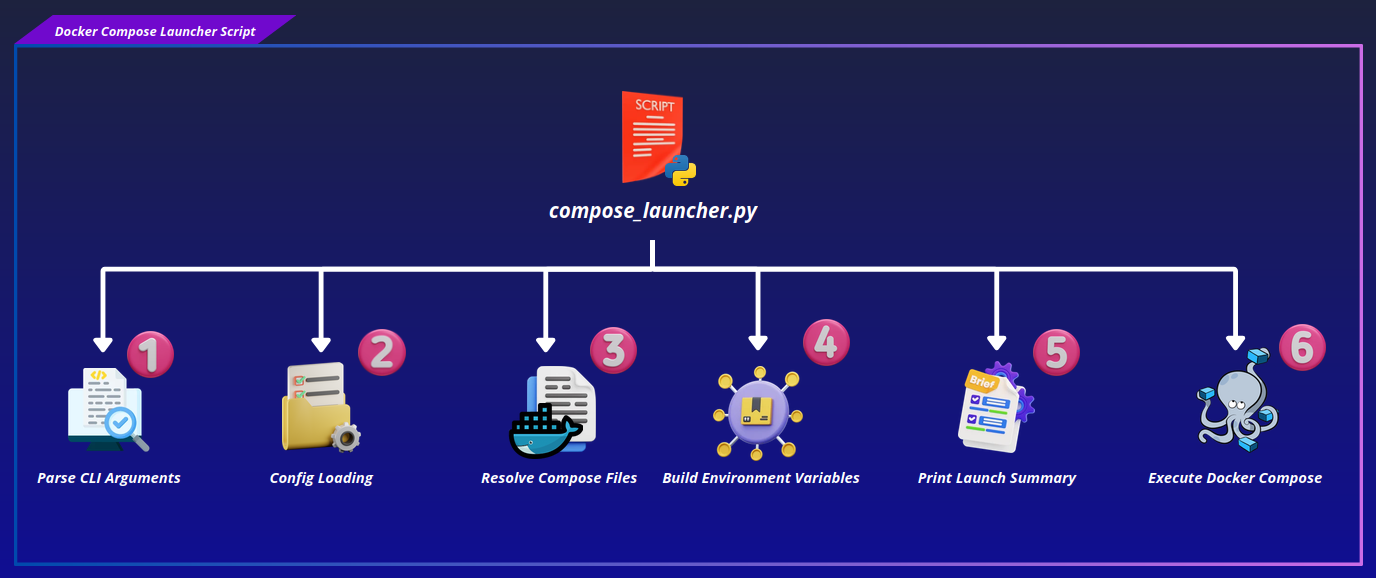
compsoe_launcher.py orchestrates the Docker Compose stack for Micipsa. It reads the bringup and devices configuration, resolves the correct set of Compose files for the requested mode, derives environment variables from configuration, and launches (or tears down) the stack.
Step 1: Parse CLI Arguments#
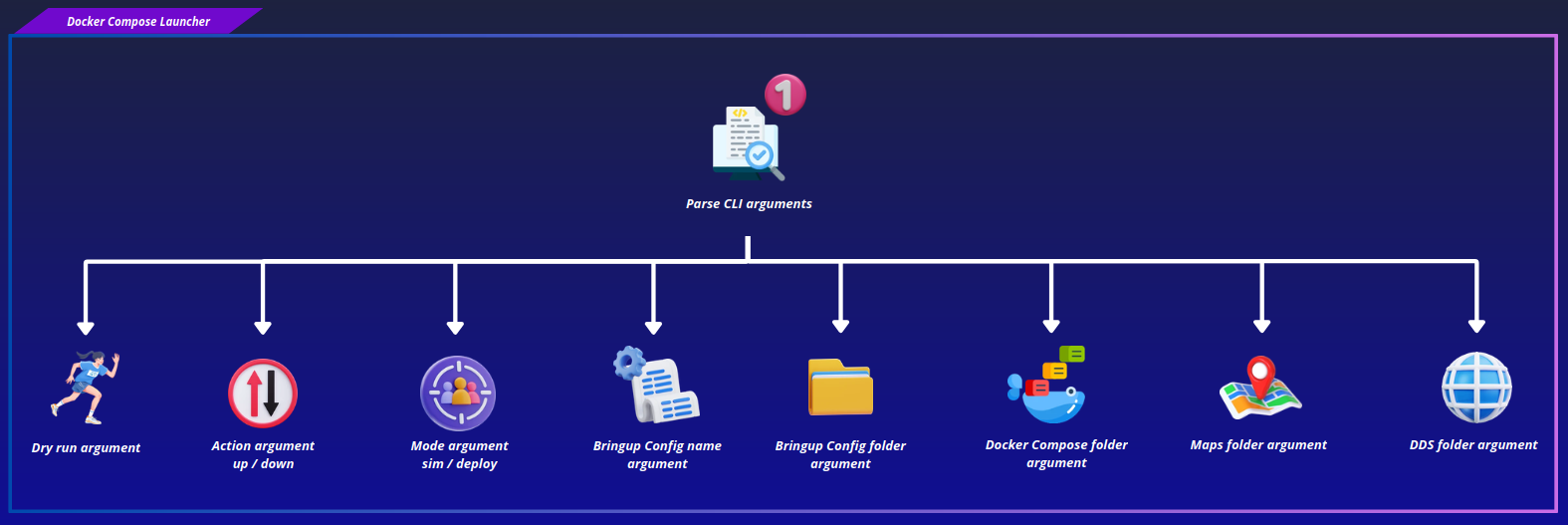
The script accepts a positional action argument (up or down) along with several options controlling how the stack is launched:
--mode: selectssimordeploy(defaultsim).--bringup-config-name: name of the bringup config file (defaultbringup_config.yaml).--docker-compose-files-dir: directory containing the Docker Compose files.--bringup-config-dir: directory containing the bringup configuration.--maps-dir: directory containing map files.--dds-dir: directory containing DDS configuration files.--dry-run: prints the resolved command without executing it.
All defaults resolve relative to the script's location, so it works out of the box when run from the repository, and can be overridden when installed to a system path. Any unrecognized arguments are captured separately and passed through to the underlying docker compose invocation.
Step 2: Config Loading#
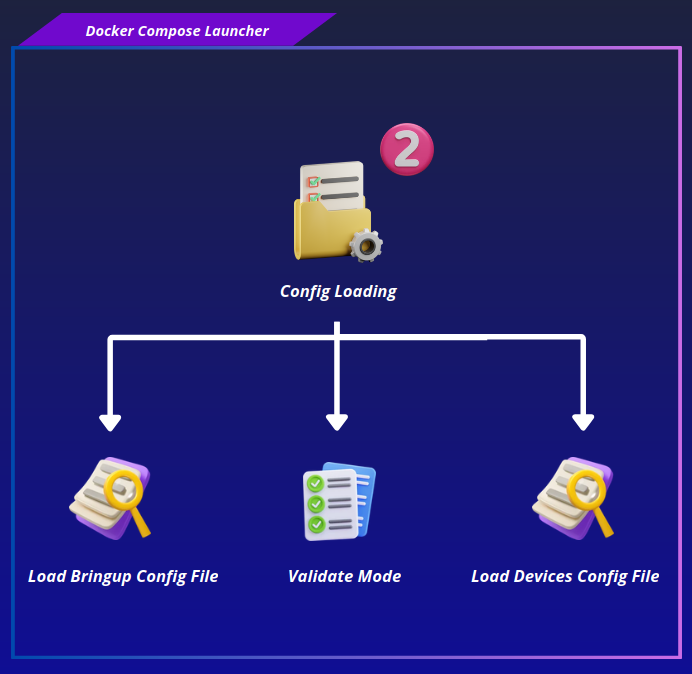
The script loads the bringup config YAML file and extracts its settings mapping. These settings drive both the environment variables passed to the containers and the mode validation described below.
Before launching, the script validates that the config is consistent with the requested mode:
deploy_mode and use_sim_time cannot both be true.
In deploy mode, deploy_mode must be true and use_sim_time must be false.
In sim mode, deploy_mode must be false and use_sim_time must be true.
If any of these checks fail, the script prints a warning and overrides the environment values according to the requested mode (it does not change the bringup config values).
Once the mode is validated, the script reads devices_config_file from the bringup settings and aborts if it isn't set, It then loads that devices config YAML file, giving the hardware definitions (MCU, lidars, cameras, and so on) that will later be flattened into environment variables alongside the bringup settings.
Step 3: Resolve Compose Files#
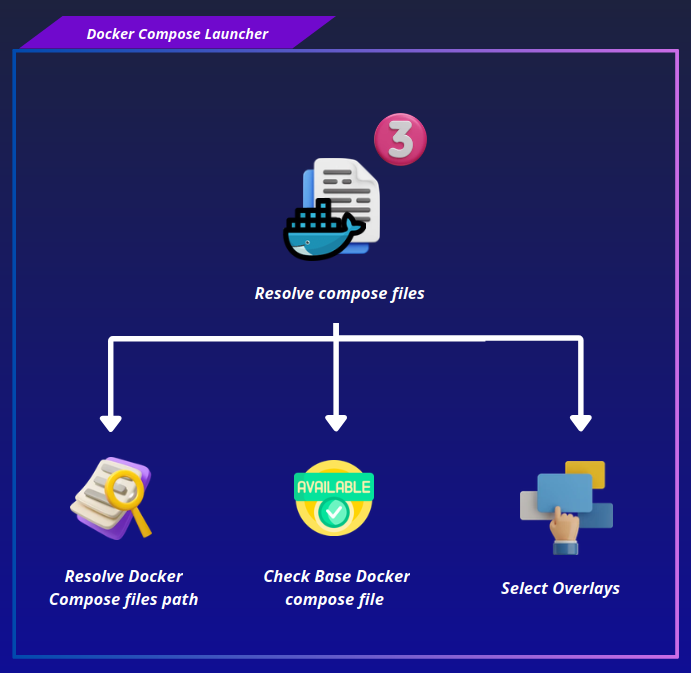
The base Compose file docker-compose.yaml is always required and is included first. Depending on the action, additional overlay files are added:
For up action, only the overlay matching the requested mode is required and added:
docker-compose.deploy.yamlfor deploydocker-compose.sim.yamlfor sim.
For down, both overlays are included if present, with neither one required, so containers started in either mode can be torn down regardless of which mode is currently active.
Missing required files (the base file always, and the matching overlay in up) raise an error and stop execution before Docker is invoked.
Step 4: Build Environment Variables#
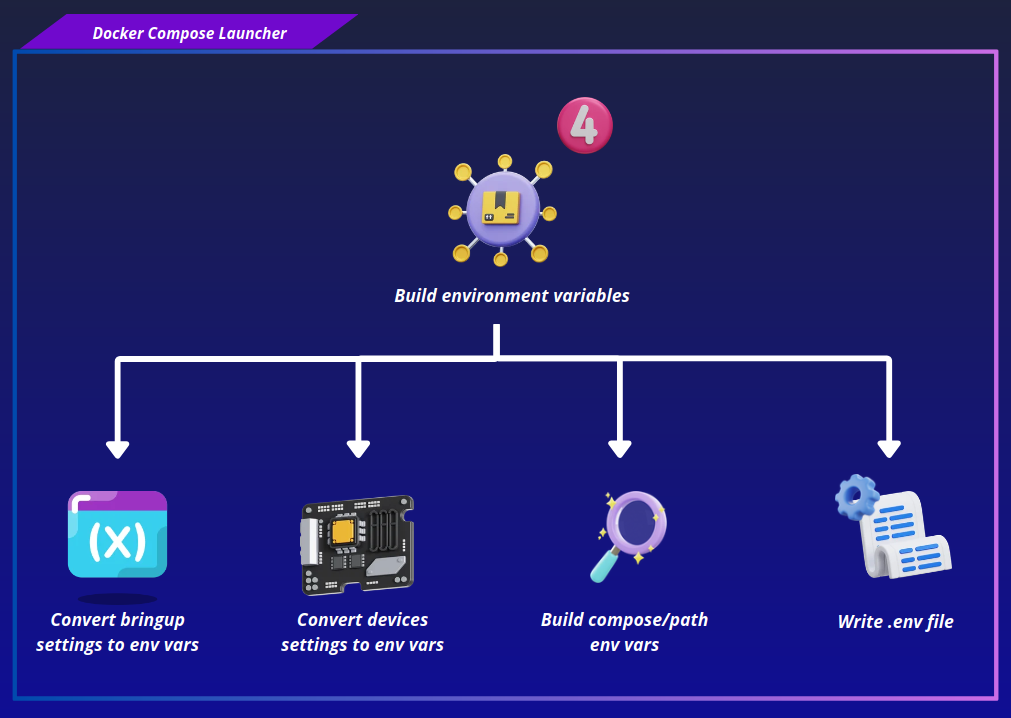
Environment variables are assembled from three sources, kept separate as EnvGroups rather than merged immediately:
- Bringup settings: every key in the bringup config's settings mapping becomes a MICIPSA_
variable.
- Devices configuration: the already-loaded devices config data is flattened into MICIPSA_
_ variables, one per device parameter. Nested dictionaries and lists are flattened recursively, with list indices appended to the variable name.
- Compose paths: a fixed set of variables for the bringup config source and install paths, maps source and install directories, and DDS source and install directories.
Keeping the three groups separate lets the launch summary display each one under its own section rather than as one undifferentiated list. They are only combined into a single merged set later, when writing the .env file and when launching the containers.
Step 5: Print Launch Summary#
The script prints a summary of the launch configuration: the bringup config path, selected mode, resolved Compose files, and any extra arguments. It then lists every bringup and device-derived environment variable, followed by the resolved install directories for bringup config, maps, and DDS files. Finally, it prints the exact docker compose command that will be run.
This summary gives visibility into the launch before any containers are affected, and is especially useful when combined with --dry-run.
Step 6: Execute Docker Compose#
For up action , if --dry-run was passed, the script skips execution but still writes the .env file and prints the summary along with a completion message the constructed command is shown but never run.
Otherwise, the constructed docker compose -f ... up command is run as a subprocess, with the merged environment variables applied on top of the current process environment. A missing docker binary or a non-zero exit code is reported as an error, a successful run prints a confirmation message.
For down action, the command is docker compose -f ... down --remove-orphans, using the same -f flags as up but built from whichever overlay files are present on disk. Unlike up, down does not build or pass any environment variables of its own, it relies on whatever .env file, if any, was left behind by a previous up. There is no --dry-run support for down, it always executes. The command is run and its result checked the same way as up.