System


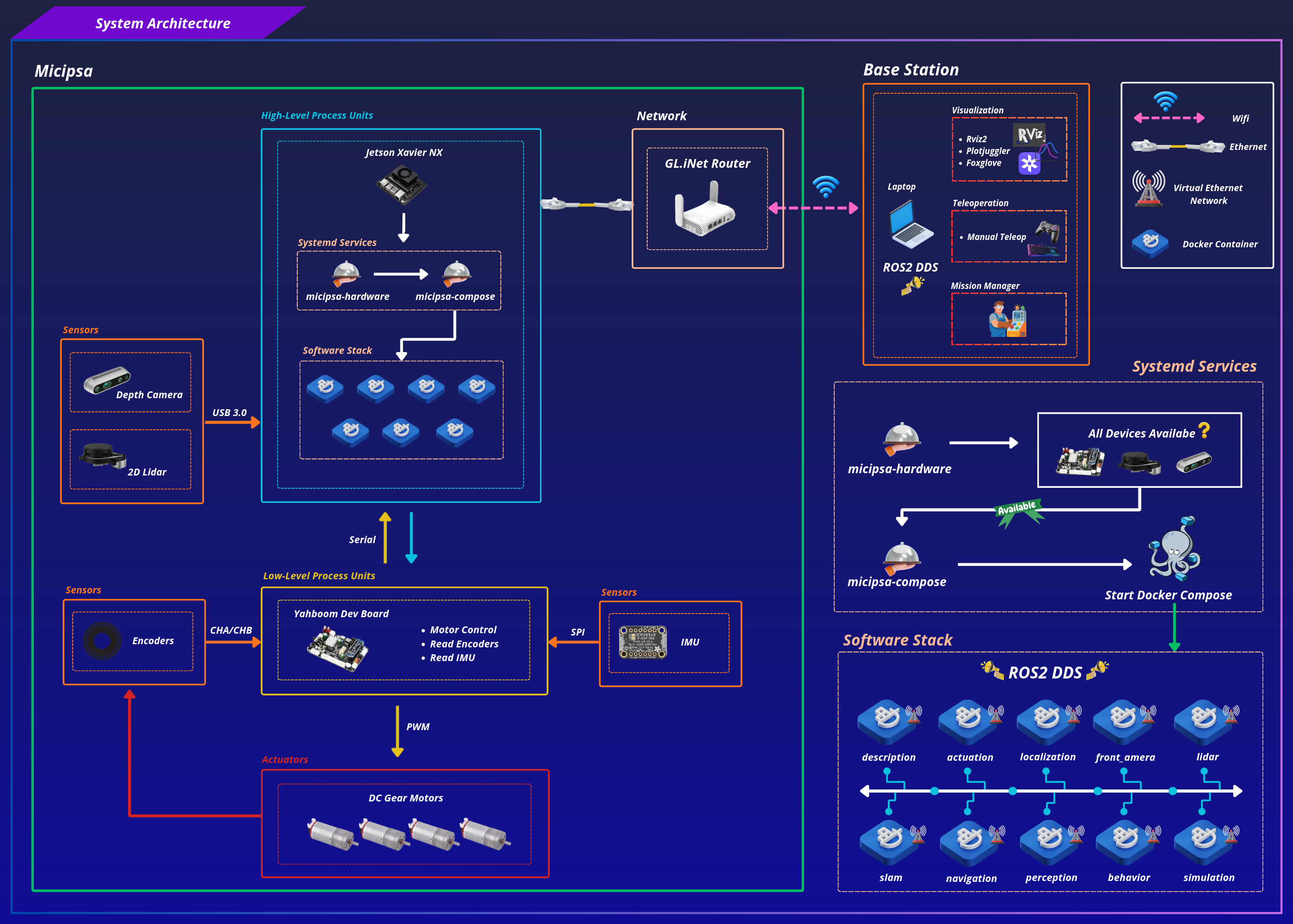
System Architecture#
Boot Sequence#
flowchart TD
    A([Power On]) --> B[Jetson Xavier NX boots Ubuntu]
    B --> C[micipsa-hardware.service starts]
    C --> D{Hardware Devices detected?}
    D -- No --> E[Wait / Retry 3 times]
    E --> D
    D -- Yes --> F[micipsa-compose.service starts]
    F --> G[Docker Compose launches container stack]
    G --> H[actuation container]
    G --> I[localization container]
    G --> J[SLAM container]
    G --> K[navigation container]
    G --> L[... other containers]
High-Level Processing#
The robot's brain is an NVIDIA Jetson Xavier NX, a compact embedded computer that runs Ubuntu and hosts the entire ROS 2 software stack. On power-on, the Jetson boots and two systemd services take over in sequence:
micipsa-hardwareverifies that the required hardware devices (LiDAR, camera, microcontroller) are present and connected before anything else is allowed to start. If any critical device is missing, the rest of the Micipsa stack will not launch, preventing the robot from running in a partially-initialized or unsafe state.micipsa-composedepends onmicipsa-hardwaresucceeding, and is responsible for launching the full software stack as a set of Docker containers.
Each container runs one isolated piece of the ROS 2 stack localization, navigation, SLAM, and so on, all containers communicate with each other over DDS.
Note
It is recommended to read:
- Systemd Services Documentation to understand the service architecture and startup/shutdown lifecycle.
- Docker Architecture to understand the container architecture and software deployment.
Low-Level Processing#
Below the Jetson sits a microcontroller board, responsible for everything real-time and hardware-close, the tasks too time-sensitive such as:
- Driving the DC gear motors
- Reading the wheel encoders Data
- Reading the IMU Raw Data
The microcontroller communicates with the Jetson over a serial USB connection. The Jetson sends motors velocity commands down to the microcontroller, which in turn streams encoder and IMU readings back up closing the loop between high-level decisions and low-level actuation.
Network#
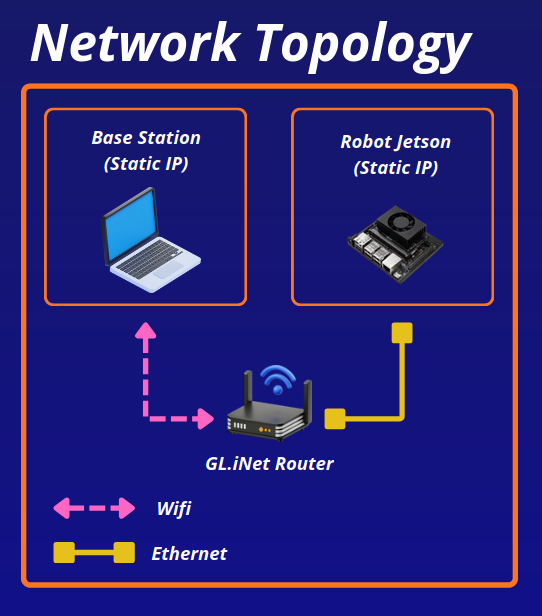
The robot and the base station are connected through a GL.iNet router: the Jetson connects via Ethernet for a stable, low-latency link, while the base station laptop connects over WiFi. Both machines are assigned static IPs so they can reliably find each other on the network regardless of connection order or the network the router is connected to which makes testing and deploying the robot on different places much easier.
DDS runs across this network link, which means ROS 2 topics published on the robot are visible on the base station.
Note
It is recommended to read the Network Documentation for a better understanding of the network architecture and communication flow.
Base Station#
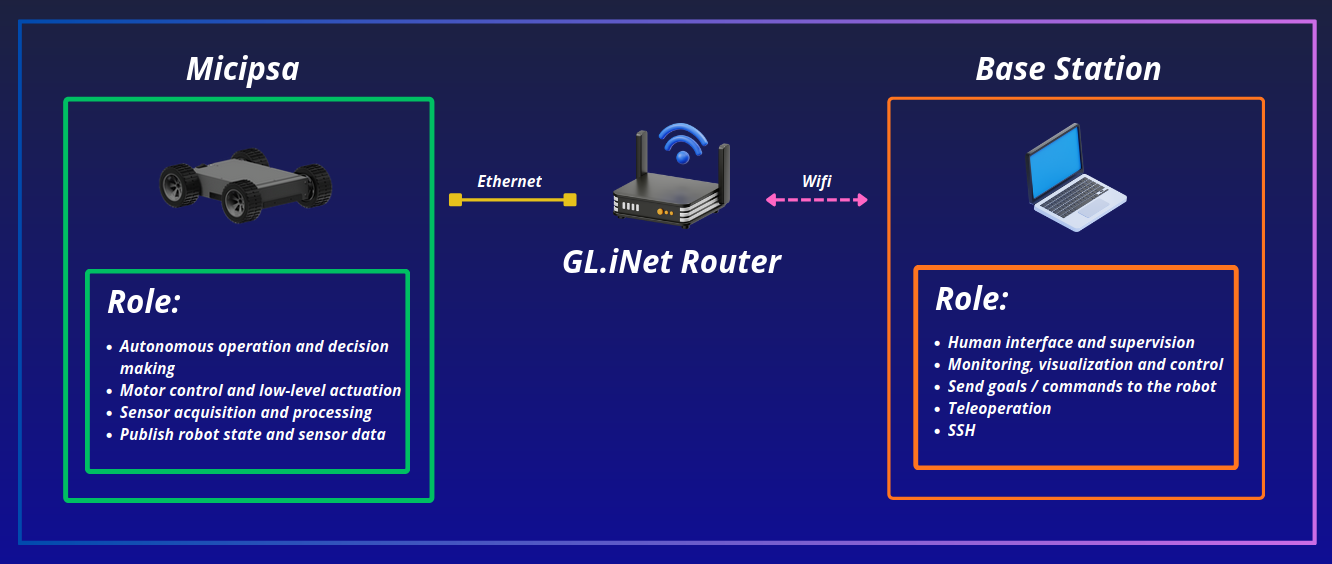
The Base Station is the operator’s workstation, it allows the human to monitor, visualize, and control the robot remotely, it doesn't run any of the robot's core stack.